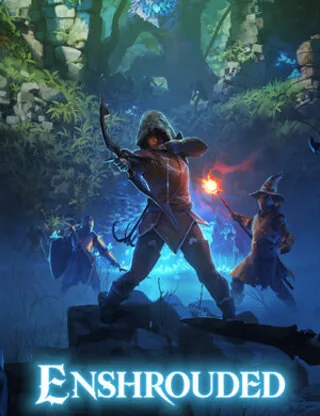
Enshrouded left Early Access on October 15, 2026: version 1.0 is out on Steam and, for the first time, on PlayStation 5. There is no crossplay between PC and PS5 at launch, your Early Access worlds carry over and Keen released Hotfix 1.0.0.1 the same evening. If you run a dedicated server for your group, this guide covers what changed and how to get your server on 1.0 (as of October 16, 2026).
Want your own Enshrouded server? At HostValues from €5.60 per month, online within minutes. View plans →
If you would rather not keep a Windows PC running around the clock, HostValues also offers ready-made Enshrouded servers: the server installs the latest version through SteamCMD every time it starts, so one restart brings it to 1.0.
When did Enshrouded 1.0 come out?
On October 15, 2026, on Steam and on PlayStation 5 (with PS5 Pro enhancements). Keen published the full changelog a day earlier and released Hotfix 1.0.0.1 on the evening of launch day, fixing several crashes, an indoor lighting issue and crashes caused by certain peripherals. If you bought Enshrouded on PC in Early Access, you do not need to buy it again. An Xbox Series X|S version has been announced but is not out yet.
What is new in Enshrouded 1.0?
- The full map: a new region in the north, Cinder's Cradle, beyond the Veilwater Basin, plus two new Hollow Halls (Albaneve Summits and Veilwater Basin) and new outer areas in Springlands, Blackmire and Kindlewastes.
- The end of the story: the main quest concludes the story of the Ancients and the Shroud.
- Higher caps: player level 50, gear upgrades up to level 55, and a new Flame level that raises the maximum number of Flame Altars to 15. With the final Flame level you can push back the Shroud with Flame Altars.
- Voice-over: lore texts and the main survivors are voiced in English, German and Mandarin Chinese.
- Sparkworks: a logic system with levers, pressure plates, doors and traps to build your own puzzles and dungeons and share them through Adventure Sharing.
- Brick renderer: terrain and buildings keep their detail at long distances.
Is Enshrouded 1.0 crossplay?
No. In its launch FAQ of October 13, 2026, Keen Games says Enshrouded is not cross-platform at launch; the studio is working on it but has no estimate yet. PS5 players therefore cannot join a PC dedicated server. On PS5, online play needs PlayStation Plus and supports up to 8 players, according to the PlayStation Store. For everyone on Steam, your server works as before.
Will my world survive the 1.0 update?
Yes. Early Access saves work in 1.0: the first time 1.0 loads an old save, it backs it up and converts it to the new, smaller save format. The skill tree is reset the first time you play 1.0 with an existing save, so spend your points again. Keen still recommends starting over, because the world and the first hours of the game were reworked. A dedicated server only stores the world; characters stay on each player's PC (locally or in the Steam Cloud, which now have separate tabs in the menu).
How to update your dedicated server to 1.0
- Back up your world. Download the
savegamefolder andenshrouded_server.json. On a HostValues server you can also create a backup in the panel under Backups. - Update the server. Players can only join a server that runs the same version as their game. On HostValues a restart is enough: the server installs the latest version through SteamCMD when it starts. On your own Windows machine, update Enshrouded Dedicated Server under Tools in your Steam library (it appears there if you own the game) or run SteamCMD with app ID 2278520.
- Use four different passwords. In our tests on launch day the 1.0 server refused to start while two user groups had the same password ("user groups passwords must be unique"). On HostValues you set the server name, the number of slots and the passwords for the Admin, Friend, Guest and Visitor groups in the Startup tab of the panel.
- Check your settings. Keen documents new options in
enshrouded_server.jsonsuch asvoiceChatMode(Proximity or Global),enableVoiceChatandenableTextChat, and an "Automatic" option for the number of enemies. If an old file was updated incorrectly, Keen advises deleting it so the server creates a fresh one; note your passwords first. - Plan for your group size. An Enshrouded server supports up to 16 players. According to Keen it uses about 4.4 GB of RAM when idle plus up to 100 MB per player, and no more than 6 GB in total.
Starting fresh for 1.0?
Many groups use 1.0 to start a new world, as Keen recommends. A dedicated server suits that well: the world stays online when the host is not playing, and everyone can keep building at their own pace. Our Enshrouded dedicated server setup guide walks you through the setup, and Best Enshrouded server settings per play style helps you pick the right difficulty.
Frequently asked questions
When was Enshrouded 1.0 released?
On October 15, 2026, on Steam and PlayStation 5. Hotfix 1.0.0.1 followed the same evening.
Can PS5 players join a PC dedicated server in Enshrouded 1.0?
No. There is no crossplay at launch. Keen is working on it but has not given a date (as of October 16, 2026).
Do I need a new world for Enshrouded 1.0?
No. Old worlds are backed up and converted automatically, and the skill tree is reset. Keen recommends a fresh start because the early game was reworked.
How many players can join an Enshrouded server?
Up to 16 players per dedicated server on PC.
Does my HostValues server update to 1.0 automatically?
Yes. The server downloads the latest version every time it starts, so a restart is enough.
Sources: Keen Games on Steam (changelog, launch FAQ, Hotfix 1.0.0.1), PlayStation Store, Keen knowledge base: Dedicated Server FAQ and Dedicated Server Configuration. Retrieved October 16, 2026.
Get your own Enshrouded server
From €5.60 per month. Online within minutes, cancel monthly, DDoS protection included.
View plans Order nowNew to HostValues? Use code WELKOM10 for 10% off your first order.